In this article you will find an overview of free versions of enterprise-class backup systems. These editions naturally have their limitations, but they can be an interesting option for small companies or for those who want to use them in their lab or test their capabilities before purchasing the paid version. In this post I will try to describe some of them. I was guided mainly by three requirements - that they are mature systems actually used commercially, that they provide backup for many sources such as virtual machines, databases and files, and that they have a graphical interface.
Veeam Backup & Replication
Veeam is probably one of the most popular backup systems in the world. There is a reason for that, because it offers a huge amount of functionality and integrations, while at the same time being relatively simple to implement and maintain for such a complex system. Both large corporations and small companies use it.
Veeam initially focused on VMware backup, over time expanding its capabilities to support other hypervisors, but also filesystems, databases or M365. Currently the portfolio of available sources is already very wide.
The manufacturer provides 30-day trial versions and free versions of several of its products: Veeam Backup & Replication, Veeam Backup for M365, Veeam Backup for AWS, Azure and Google Cloud. Each of these free versions supports up to 10 workloads (these are separate programs, so we can use several at the same time and licenses are counted separately).
We are mainly interested in VBR. The application allows backup of VMs from most hypervisors, but also with the help of an agent it is possible to back up Windows and Linux workstations. Veeam also offers app-aware backups, which means that the system does not just do a simple snapshot backup, but also processes e.g. transaction logs for databases. I will not go into detail about its functionality here, but it represents the leading standard in the industry. The system architecture consists mainly of the VBR Server, which is the “brain” of the system coordinating all tasks and configurations, and Proxy servers responsible for data transfer and communication with hypervisors and agents. In version 13 the possibility of creating two main servers in active-passive mode with failover was also introduced (but I do not know if this option is available in the free version).
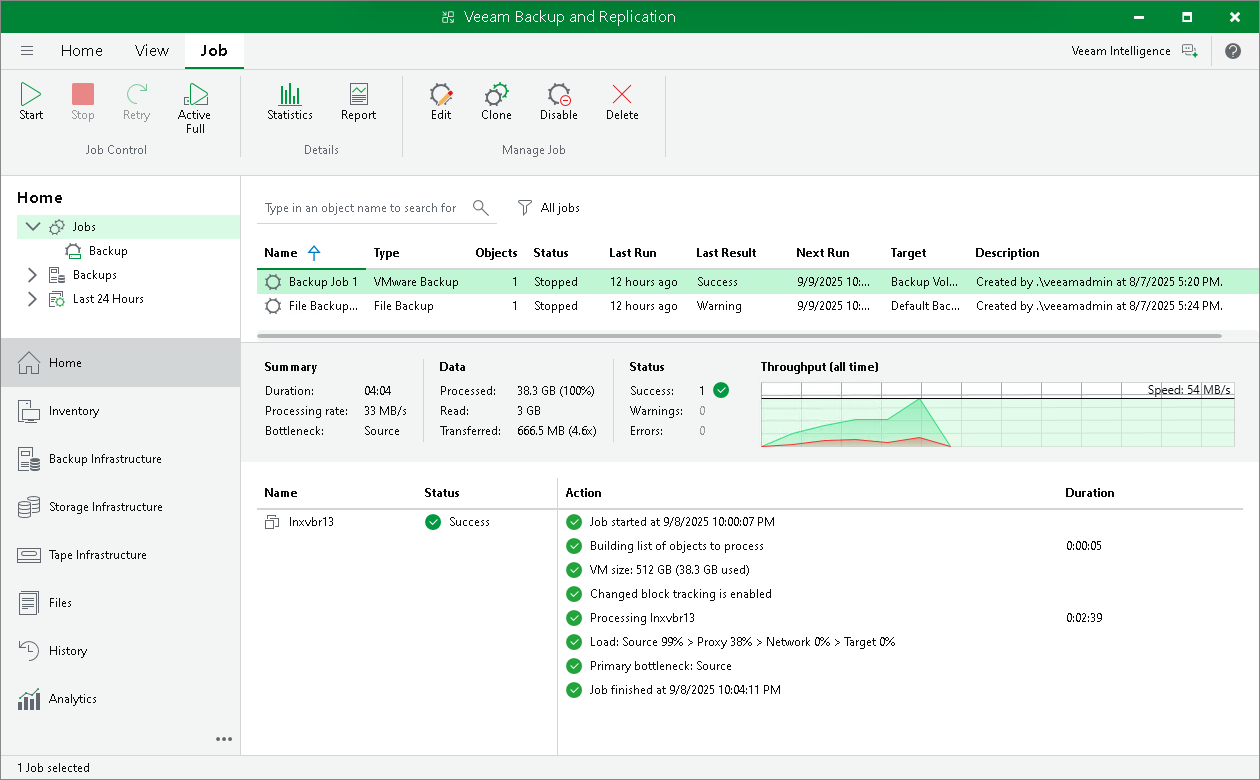
An interesting point is that from the very beginning Veeam was a program developed on Windows. The configuration database (this is a database storing all settings, agent data, repositories, etc.) even used Microsoft SQL Server. For some time now the manufacturer has been moving away from Microsoft. The first sign was the addition of the possibility to choose a PostgreSQL database instead of MS SQL. The problem with the Microsoft database was that by default it was the Express version, which had its limits, and exceeding them required buying an expensive license. Therefore, integration with Postgres was added, and after some time it became the default database for new installations.
In addition, since recently (end of 2025) Veeam offers a Software Appliance, which is a preconfigured Rocky Linux distribution with complete Veeam software. So you just need to install such a system from ISO and you do not have to do anything else - the system is configured and secured according to best practices. A great solution. Installation on Windows is still available, but there is no point in fooling ourselves - Veeam has definitely chosen the direction towards Linux. It is not an exception here, for example the competing Commvault - also always associated with Windows - now also has Linux support and it is the default installation option in new versions. Standard - Linux is the best 😁.
To download the free version of Veeam, use their website and go to the Community tab. You need to provide an email to receive a verification code. Download Veeam Community Edition.
Storware Backup & Recovery
Storware is a Polish manufacturer of data protection software. Storware Backup & Recovery (formerly vProtect) has been on the market for many years and focuses on delivering a solution for backup from many sources, even the less popular platforms.
I remember that just a few years ago Storware was practically the only enterprise-class backup system with which, apart from VMware or Hyper-V, it was possible to protect less popular environments at that time such as Proxmox, oVirt or OVM. Currently, after the acquisition of VMware by Broadcom and the resulting licensing revolution unfavorable for many smaller companies, practically every backup system already supports these environments.
Storware still stands out with a very wide range of supported hypervisors, applications and many unique features, such as a snapshot schedule or acting as a proxy for other backup systems (those that do not support a given endpoint).
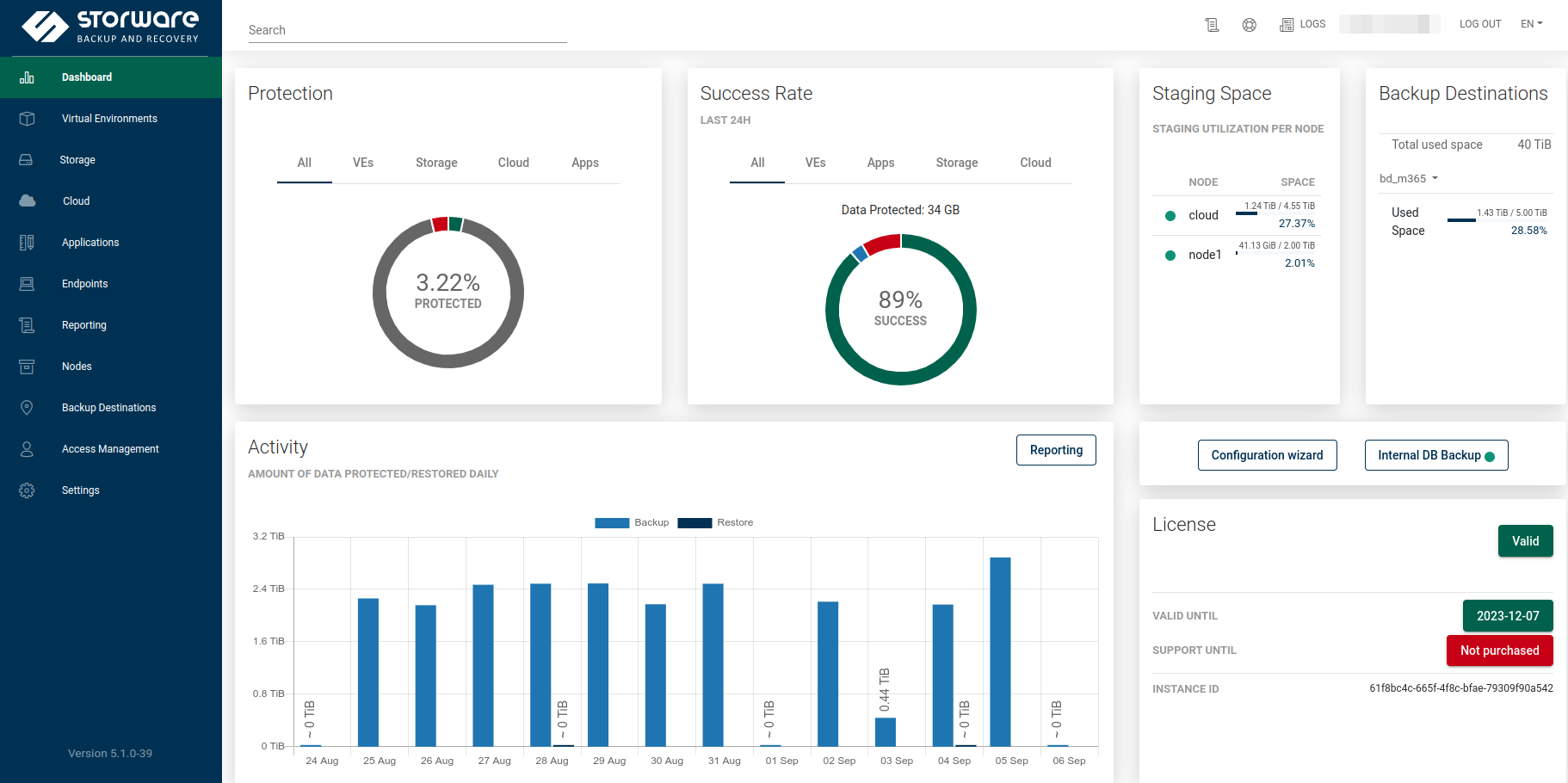
The manufacturer offers a 60-day trial version and a free Community version.
As for the trial version, unfortunately we find conflicting information on the website - the Polish version of the site says that there are no restrictions, while the English version already has limits of 20 VM/applications and 2TB of data for agent backup. Of course, I am sure that there will be no problem with removing the limits for the test period after contacting the manufacturer. But for now we are interested in the free version.
In the free version until recently the limit was 10 objects (virtual machines or applications). Unfortunately for some time now we only get 5 objects for free. It is a real shame that the manufacturer decided to make this move, because with the previous option Storware was probably the most dangerous competitor for Veeam in small companies and homelabs. I must also add that there was a moment when under the free license it was possible to back up as many as 100 Microsoft 365 accounts! It seems to me that Storware has generally slightly neglected the free version, because the Community Forum has also disappeared.
As for the software itself, it offers a friendly web interface, it also has CLI and API for integration with external solutions. Installation is simple and possible in several ways, e.g. through an installation script or a ready ISO with Linux, although with the second option I had a problem with starting the system, I did not investigate whether it was some error on my side, I used the script - there it went without any problem.
The software itself has a rather typical architecture based on the main server (Backup & Recovery Server) and Node, which in simple terms is the equivalent of Proxy / Media Agent from Veeam or Commvault, although of course there are differences here, but I will not develop them in this post. The server and Node can be on one host and for the free version this is the only right solution.
Storware has all the typical functionalities of this class - full, incremental, synthetic backups, VM backup, agent backup, many backup destinations, deduplication or extended retention settings. I will describe this system in more detail someday - until recently I had only sporadic contact with it, but recently I completed the Storware Technical Expert certification, so in the future I will share my impressions of this system and the certification itself.
Download Storware Community Edition. Registration with an email will be required to obtain a license key.
Vinchin Backup & Recovery
This is my latest discovery. Vinchin is a Chinese manufacturer present on the market for over 10 years. In Poland it is not yet very well known, but I saw that there is already at least one distributor in our country. The first thing that caught my eye after logging in was a very friendly and fast-acting web interface. Anyone who has had contact with Command Center in Commvault will feel a huge positive difference here, everything loads instantly. Adding disk space or a backup source also proceeds very intuitively. I also saw the possibility of creating a failover for the main server. The number of supported workloads is really large, these are all hypervisors, but agent backup or e.g. M365 is also possible.
I received information from the manufacturer that the latest version already supports Proxmox 9.
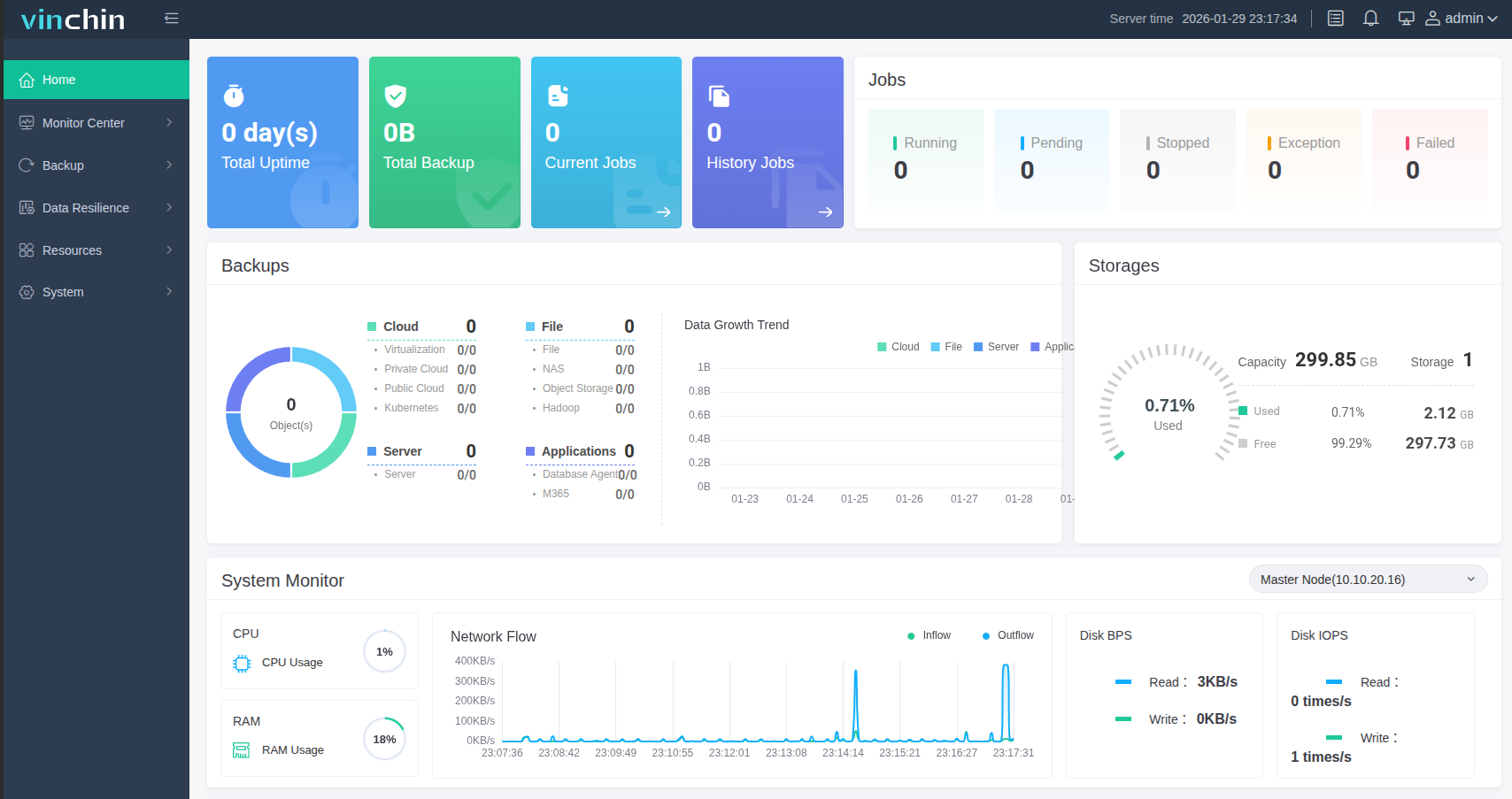
Like other systems of this type, Vinchin also consists of a main server and nodes. The system is delivered as a preconfigured ISO with Rocky Linux, so very similar to the Veeam Backup Appliance case.
Vinchin provides a 60-day trial and a free version, unfortunately limited to only 3 virtual machines. To download the free version, you need to register on the manufacturer’s website. Download the free version of Vinchin Backup.
Nakivo
The manufacturer has been on the market since 2012. The offer of its product is mainly aimed at small and medium-sized companies.
The product has a typical architecture of a managing server - transport servers. In this case their names are Director and Transporter. Nakivo has a lot of possible installation options - an installation file for Windows, a script for Linux, ready OVA for VMware (in this case based on Ubuntu 24), apps for NAS (Synology, QNAP, Asustor and many others) and even the possibility of installation on ARM Linuxes. Integrations with NAS are interesting in that Nakivo is available in official stores e.g. Synology or QNAP.
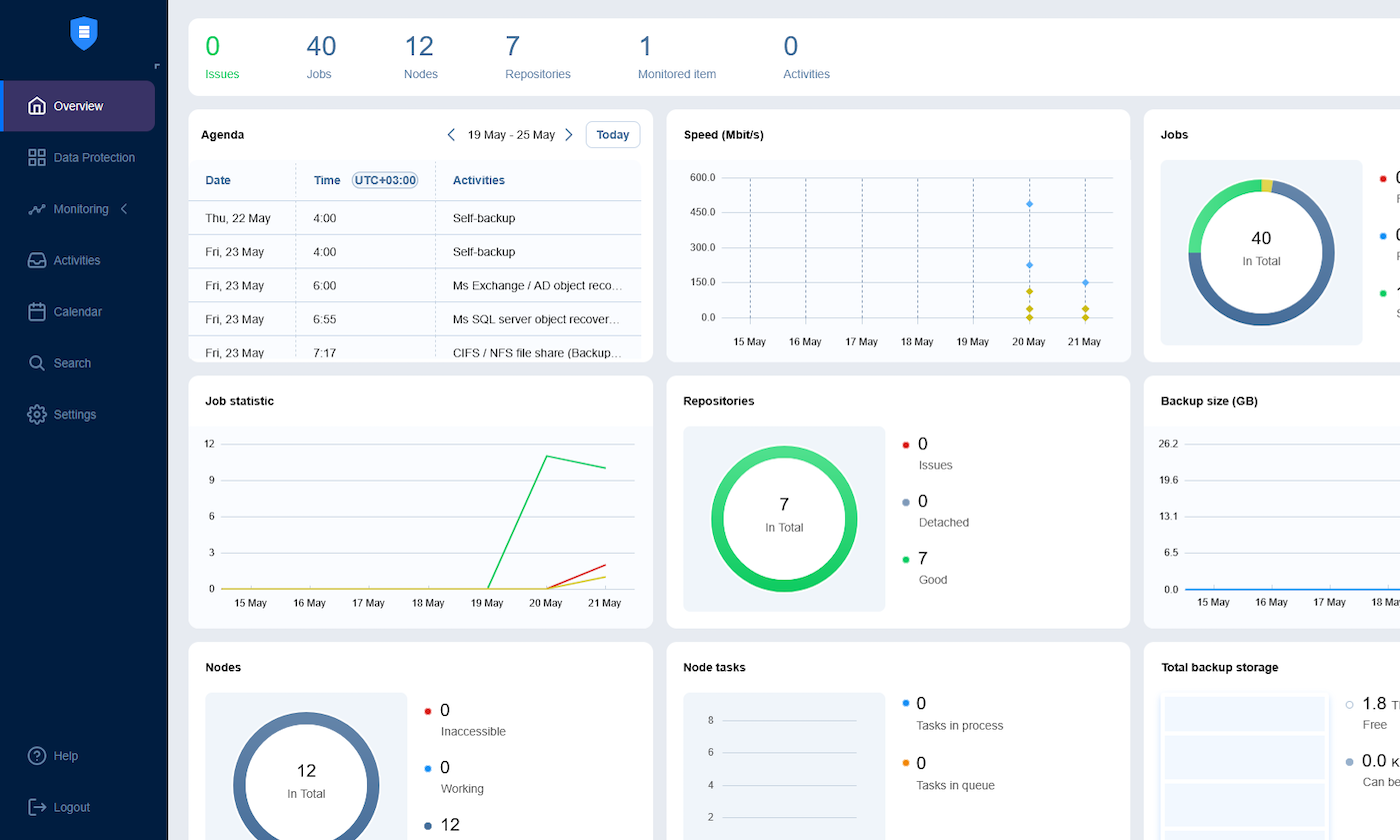
The software offers (at least at first glance) similar capabilities to the systems mentioned earlier, both in terms of the number and types of supported workloads, as well as the functionalities themselves.
Nakivo provides a free version for up to 10 local workloads, and additionally 5 mailboxes. A 15-day unrestricted trial version is also available.
Click here to download the free version of Nakivo.
BDRShield
When it comes to limits for the free version, this is a real gem. BDRShield allows you to create backups for 10 virtual machines, 10 cloud machines (e.g. Azure), 10 servers and 10 M365 / Google accounts. So if we have different types of workloads such as a hypervisor and several physical servers, this may be the ideal choice.
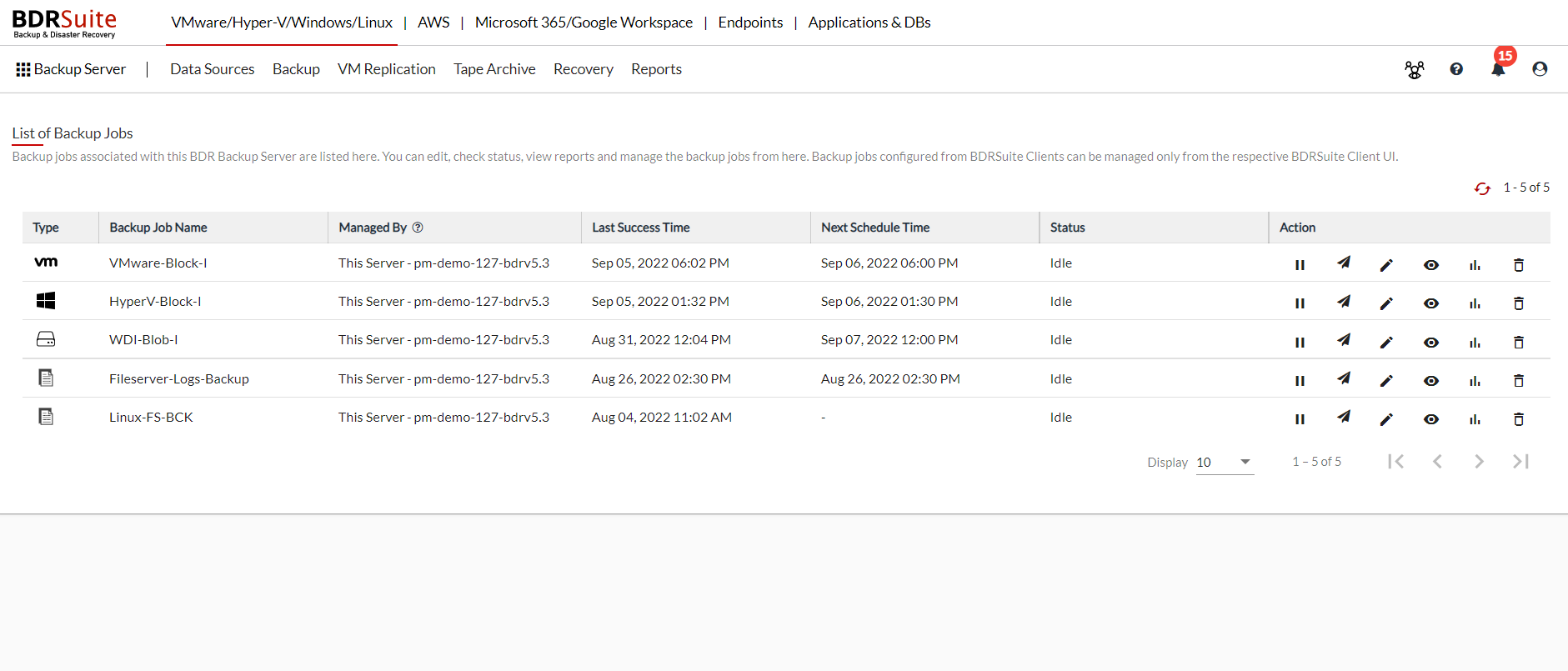
The capabilities of BDRShield roughly look similar to other systems. What is different? Certainly the user interface - it has a completely different layout than Nakivo, Vinchin and Storware, which at first glance look almost identical. Nevertheless, operation should not be a problem, the panel is clear and intuitive. The system architecture also seems different - it is not based on a main managing server and attached “workhorses”. Here the main server also serves as a node/media agent and proxy. However, it is possible to increase the number of servers and run a backup cluster, as well as add proxies responsible for communication with the hypervisor (at least as far as VMware is concerned). As for supported hypervisors, BDR allows backup of VMware, Hyper-V, KVM, oVirt and Proxmox.
Link to download the free version of BDRShield.
Bonus - Proxmox Backup System
Due to the fact that I am a fan of Proxmox (if you want to learn more about Proxmox, click here), I had to add a paragraph about PBS. Although it does not fully meet the requirements set at the beginning, it is also a slightly different system than the ones mentioned earlier. First of all - it is completely free and open source. In addition - as you can guess - it focuses mainly on the Proxmox virtual environment, although a client for Debian-like Linuxes is also available and agents for other systems are planned. PBS has no limits on the number of workloads and is perfectly integrated with Proxmox - backups can be managed both from the PBS console and PVE. Backups are deduplicated, compressed, encryption is possible and even backup to tapes.
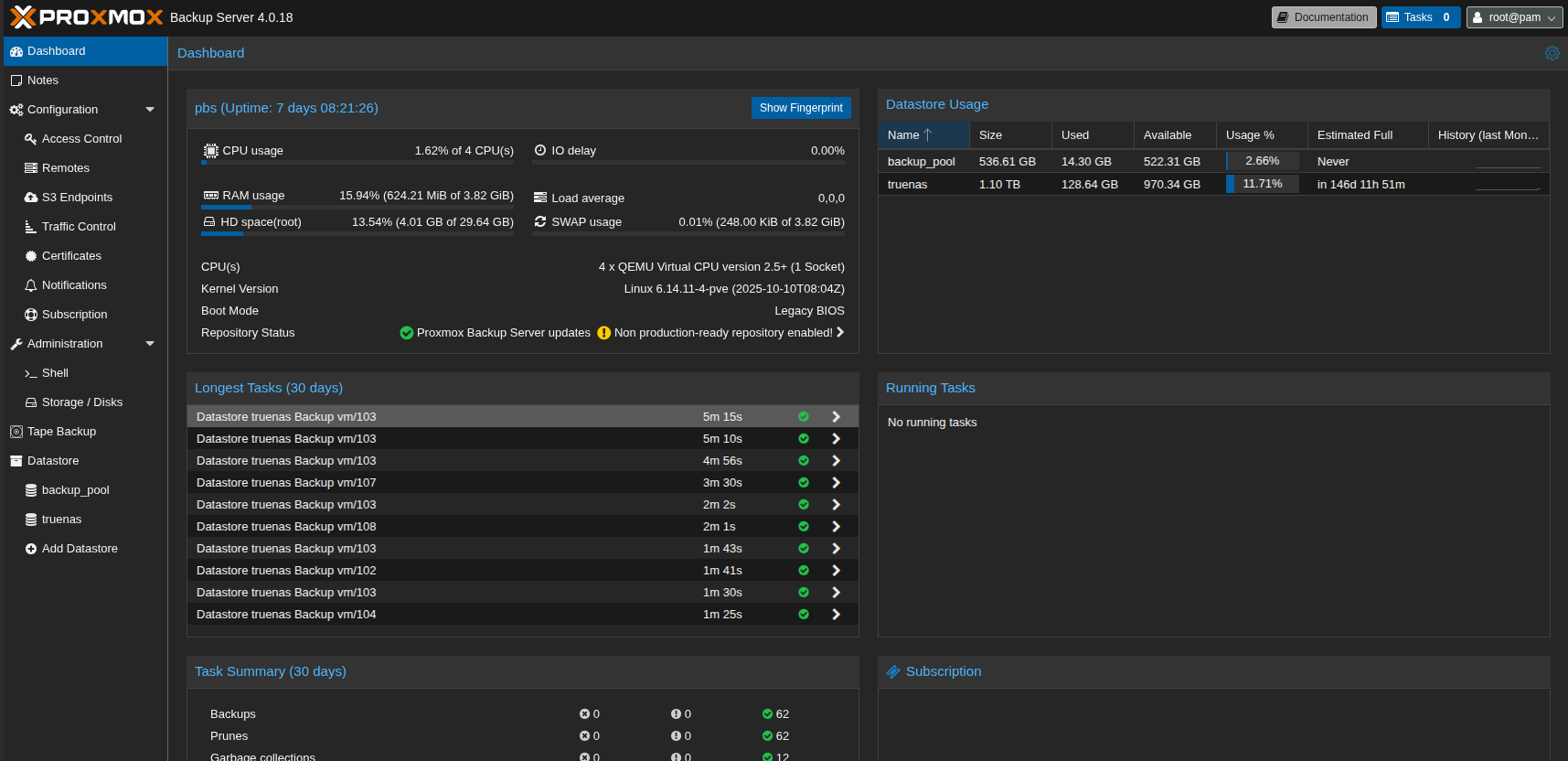
Although the system itself is developed under an open-source license, it is possible (similarly to PVE itself) to purchase technical support along with access to production repositories.
The system is already in a mature stage of development, but there is still a lot to do. In addition to the previously mentioned filesystem agents, probably the most important issue is the backup of the Proxmox nodes themselves. Of course, some partial indirect solutions are possible, but at the moment this is probably the most expected feature. Fortunately, it is already on the roadmap, so we can expect it in the future.
What limitations do I have to deal with?
Comparison of limits of free versions of backup systems (as of 2026):
| Backup system | Limitations |
|---|---|
| Veeam | 10 any workloads |
| Storware | 5 virtual machines / 1TB of agent data |
| Vinchin | 3 any workloads |
| Nakivo | 10 any workloads + 5 M365 mailboxes |
| BDRShield | 10 VM + 10 cloud VM + 10 servers + 10 mailboxes |
From the table above it is clear that the maximum number of machines to back up with a free license is 10. Can something be done to still handle a larger number for free? Yes, you can always implement several backup systems. But attention: it is better if they are different systems. It may seem like an administrative nightmare, but with a small number it is bearable, and besides, in an emergency situation you simply need to have a backup.
Why not several instances of the same system? You need to check the license conditions. For example, Veeam prohibits installing several instances of the free version in one company.
What to choose? Anything! In a small and simple environment each of these systems will simply work. These are not some no-name products made by individual enthusiasts (with all due respect to such developers), but full-fledged, advanced and well-established systems. With such a number of objects to back up, things like the architecture of these solutions do not yet matter. Of course, take into account those whose limits will be sufficient for you. The rest is a matter of personal preferences. Therefore, if you do not yet have a properly configured backup: just choose something and start making backups right now. The tool is a secondary matter, the most important thing is regularity, good system security and regular testing of copies.
If you would like to test the described systems, and you have nowhere and no way to do it, I invite you to my post about building your first homelab.
Comments