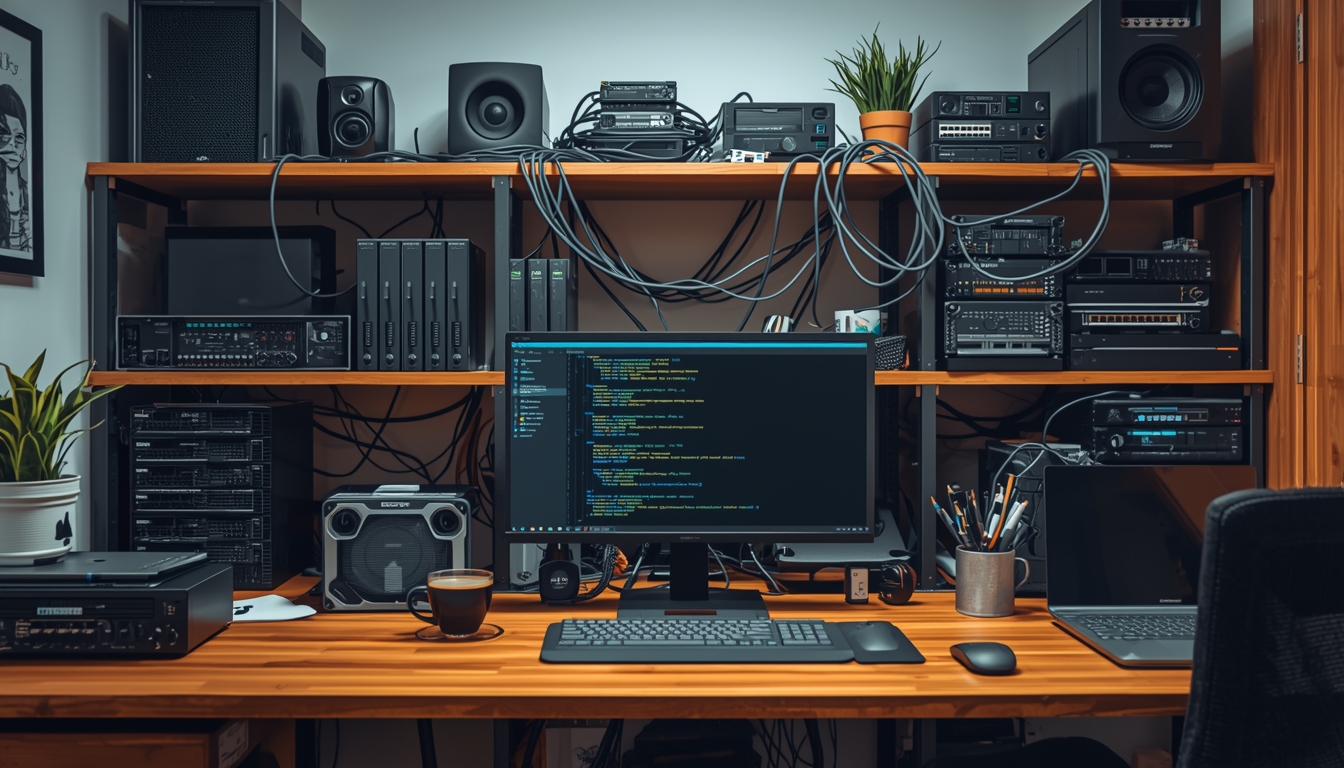
Homelab - how to start and why build one at all?
Let’s assume you want to learn some technology, system or application. Or you need to choose and test some software required for your work. So you pick a few items from the Internet, download and install them on your computer - cool. It turns out that one of the programs is only available on Linux. No problem - you think. You have WSL (Windows Subsystem for Linux) and install it there. With the amount of these programs your computer starts to get a bit messy, but that’s still no issue.
After some time it turns out that you need to install two versions of the same software. Or you have a client-server application and you need to have several such clients to test it properly. It’s not really possible to do this on one computer anymore, and you are not going to keep borrowing your girlfriend’s laptop because she wanted to watch Netflix at that time. This is where the idea of a homelab starts to take shape.
Do you have to buy hardware for a homelab?
No. At least not yet. You can use your own computer, but in a slightly different way than before - as a hypervisor. Install VirtualBox on it if you use Windows, and if you have Linux - which I probably do not even need to explain - you most likely already have the appropriate tools built into the system. In Ubuntu, for example, it is called “Virtual Machine Manager”. You can also install VirtualBox on Linux anyway.
Now, instead of installing your applications or servers directly on your computer, in VirtualBox you simply create a virtual machine, install the required system on it, then your application inside, and do this for any number of your projects - as long as your hardware resources allow it, of course. You now have computers inside a computer and you do not clutter your main system, for which these virtual machines are just ordinary files.
At some point, however, you will hit a wall. When the number of running virtual machines starts to grow, your computer’s resources may start to limit you - CPU, RAM, disk space. You have to start the machines every time you turn on the computer - managing a larger number will start to become annoying. More advanced network configuration will also be problematic - and such configuration may sometimes be necessary (e.g. VLANs). If you do not want to suspend your resources for the night, for example, your computer will have to run 24/7.
First homelab - where to start?
That is why at some point it is worth going further and building your first real homelab. In my opinion, at the beginning it is not worth jumping straight into overly complex solutions - there will be time for that. Have you ever played SimCity? A homelab is like a small town - first just a few roads and buildings, which you then consistently develop, adding new buildings, workplaces and infrastructure. After some time you come to the conclusion that some places in your city are overcrowded or poorly designed, so you rework them or even tear them down and build that part again, this time with the knowledge, resources and broader perspective you have gained. Of course, if you have the conditions and money, you can immediately throw up huge skyscrapers in the middle, but does it make sense when you do not really know what challenges you will face?
Therefore, if you have not yet created such an environment at home, I suggest starting with one, possibly cheap computer first. It can be some Mini PC - there are plenty to choose from. You can buy older generation ones cheaply and they will still be sufficient for most experiments. I am sure that literally everyone will find something that fits their budget. The choice on the market is huge. Soon I will write something about specific hardware I have used to give you some orientation.
However, such hardware can also be your old PC, NAS, laptop or even a Raspberry Pi. For example, in my case it was a laptop with a damaged screen. I completely removed the lid with the matrix and for a long time this beast served, for example, as a Smart TV connected to the television with Kodi. By the way, a laptop is generally a very good idea - it consumes little power, has a built-in UPS (battery) and is quiet. But for now, never mind the specific hardware.
This computer will serve as a host for virtualization or containerization. The operating system can be practically any Linux distribution on which you install KVM or Docker support. If using the terminal scares you, you can also add the Cockpit service and then manage everything - including virtual machines - from a friendly web interface. Personally, however, I encourage you to install Proxmox, because it is a great, already mature virtualization system based on Debian. You can run virtual machines there, but also LXC containers. In my opinion, its biggest advantage is that it works both for home enthusiasts and in companies, even large ones. The knowledge you gain by experimenting with Proxmox is useful on many levels - it is still Linux, but you can create clusters, backups, replications, learn different file storage systems and many, many others. If you want to take your first steps with Proxmox, go to my article about Proxmox installation.
How to plan a homelab? (assumptions)
Think about what you will need this environment for. Will it be only a “playground” for learning new systems? Or do you also want to run some services on it that you will use every day?
In my case I had the following goals:
- an environment as close as possible to “enterprise” standards in terms of architecture, of course on an appropriately smaller scale,
- the ability to easily and quickly spin up new virtual machines for testing purposes,
- a place where I can store some of my data and backups,
- hosting certain systems that I use “production” at home, such as Home Assistant.
The reasons why we want to create a homelab can be key to its concept. Let’s take three example workers: a web developer, an infrastructure administrator and a security specialist.
For a web developer, a homelab will not be an end in itself, but only a tool to make his work easier. He will therefore not be interested in an extensive environment and the “backend” of the homelab, because in his work other people are responsible for creating the environments he uses. Therefore, most likely one computer with Docker or KVM and a maximally simple configuration will be enough for him, so that he does not have to spend too much time and attention on issues that are irrelevant to him.
An admin will have a completely different perspective. For him, sometimes even what he will later run on the virtual machines matters less, because the issues with the environment itself will be more important - e.g. what happens if one of the three computers from which he created the cluster fails? How will the system behave if he disconnects one disk from the pool? How long will the migration of a virtual machine to another host take? There can be many questions, and the best answers can be obtained simply by checking it on a real environment. Did you make a mistake and your entire environment went down? No problem, you lose nothing (assuming you do not have important data there), you rebuild the cluster from scratch, but you are now richer by another portion of knowledge and experience.
For a security specialist, it may be important to be able to set up a system on which he can research vulnerabilities and perform attacks in a controlled environment. Another idea is to configure a network and logically isolated environment in which malware samples can be tested. For a person from Security, just like for a web developer, the homelab itself may also not be an end in itself, but the way it is configured is incomparably more important.
For me, as a person dealing with, among other things, backup systems, a homelab sometimes greatly facilitates work. If a client wants to test several systems, deploying them in his infrastructure involves sometimes having to wait a long time for machines to be created by one team, then network configuration by another, and in the end it may turn out that something is still missing… so you have to wait again. In addition, network traffic may be partially blocked, I may not have certain permissions - all this makes testing or debugging difficult. In my own homelab I do not have to ask anyone for anything - I do everything myself.
Homelab development - how to scale your home environment?
Architecture and servers
If you start running out of resources, you can now upgrade your hardware, e.g. add RAM, change the CPU. If you do not have such a possibility or you are interested in the topic of clusters, you can now buy another server or computer. You are already richer with the knowledge from your first homelab. Maybe you already have a plan for a complete and final homelab in your head, you have planned the architecture in every detail, you know it will be great. I have to stop you right now.
Network in the lab
Infrastructure in companies is not only about servers. You also need to take care of the network. As long as the environment is small and you operate only in the local network, this issue is not that important. In the further stage of development, however, it will become a necessity. If you plan to expose some services from your local network to the outside, appropriate configuration will be necessary, which may be complicated - perhaps you will not be able to do everything using only the provider’s router. If you use a NAS (e.g. Synology) and you want to use it as disk space for your virtual machines on other hosts, most likely a 1 Gbps network will be too slow. Currently, the sweet spot for homelabs seems to me to be 2.5 Gbps. Most likely you will have to buy managed switches, faster network cards, and for your Proxmox hosts it will be useful to have several of them to separate or accelerate different types of traffic.
Security
This subsection is particularly important if you plan to expose any services from your local network. Make sure to check what the best practices are and whether it is worth doing. However, even if you do not expose anything, it does not mean that you can ignore the security issue at all. It is worth taking care of a certain security standard from the very beginning (good passwords, using keys, appropriate server configuration, vulnerability verification, etc.). The previously mentioned network configuration is very important here. You can create a VLAN that, for example, will have no connectivity to other subnets or the Internet at all and carry out more risky topics there. Another issue is backup - it is worth immediately considering the implementation of some professional solution, e.g. Proxmox Backup System, Veeam (free up to 10 objects) or the Polish Storware Backup (limited to 5 objects). If you want to learn more about backup systems, I invite you to my article in which I compare free versions of the best backup systems for use in a small office or just a homelab. The backup architecture itself is a topic for a separate post, I would just like you to pay attention to certain issues.
Documentation
I really encourage you to create diagrams and documentation, even in a homelab. First, it looks cool - I encourage you to go to Reddit in r/homelab to look for inspiration. Second, it is simply useful. Memory is unreliable - after some time it is difficult to remember what our line of reasoning was when configuring something this way and not another.
Choosing hardware for a homelab
I would like to add a few words about the hardware itself. I will come back to the topic with more specifics later, now I just want to convey what is worth paying attention to.
Expansion possibilities
A laptop is nice because it is quiet and energy-efficient. But in the long run it is problematic - it has limited expansion options, and if you use it very heavily, the advantage of low noise will also disappear when the fans spin at full speed.
It is worth considering Micro/Mini PC class computers.
The smallest of them are powered by power supplies similar to those in laptops. They are small, quiet and have some expansion potential. For example, the Dell Optiplex 3060 I used, despite its small size, has two RAM slots and space for 2 disks (2.5-inch SATA and NVME). Not bad for such a little guy. If, however, you need more, then a very good compromise between size, price and capabilities are computers in SFF (Small Form Factor) format. They are still very compact, but you gain, for example, 4 RAM slots and space for several disks (e.g. HP 800 G3 has a total of as many as 5 disk slots! 2x 3.5-inch, 1x 2.5-inch and 2x NVME). If you have the space, of course you can not limit yourself at all and go for ATX or other larger non-standard size cases. Of course there are also those who set up real rack cabinets and normal, professional servers, but that is already advanced stuff. You really need special conditions and needs for that.
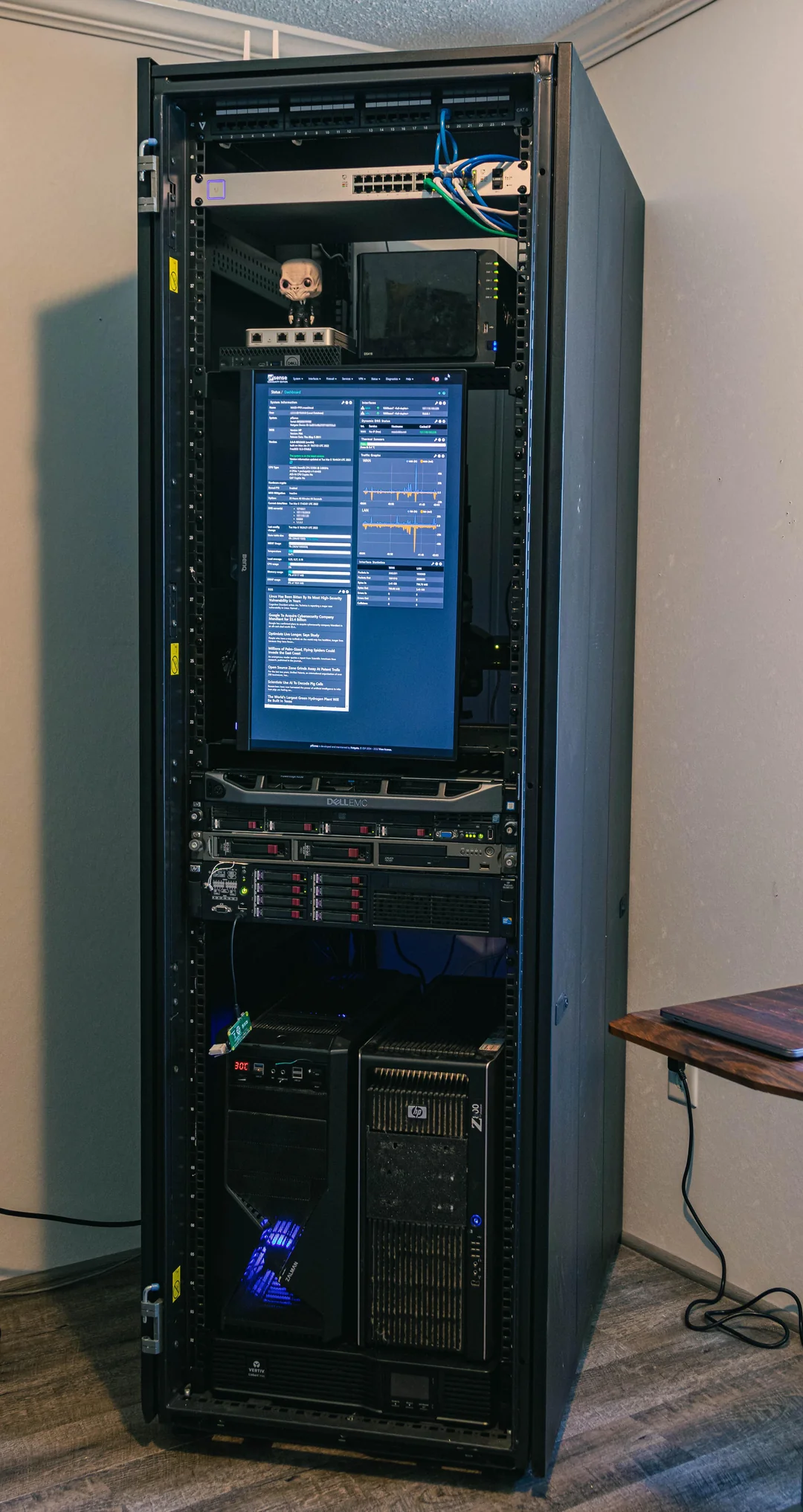
Some homelabs are practically small datacenters… (source: r/homelab)
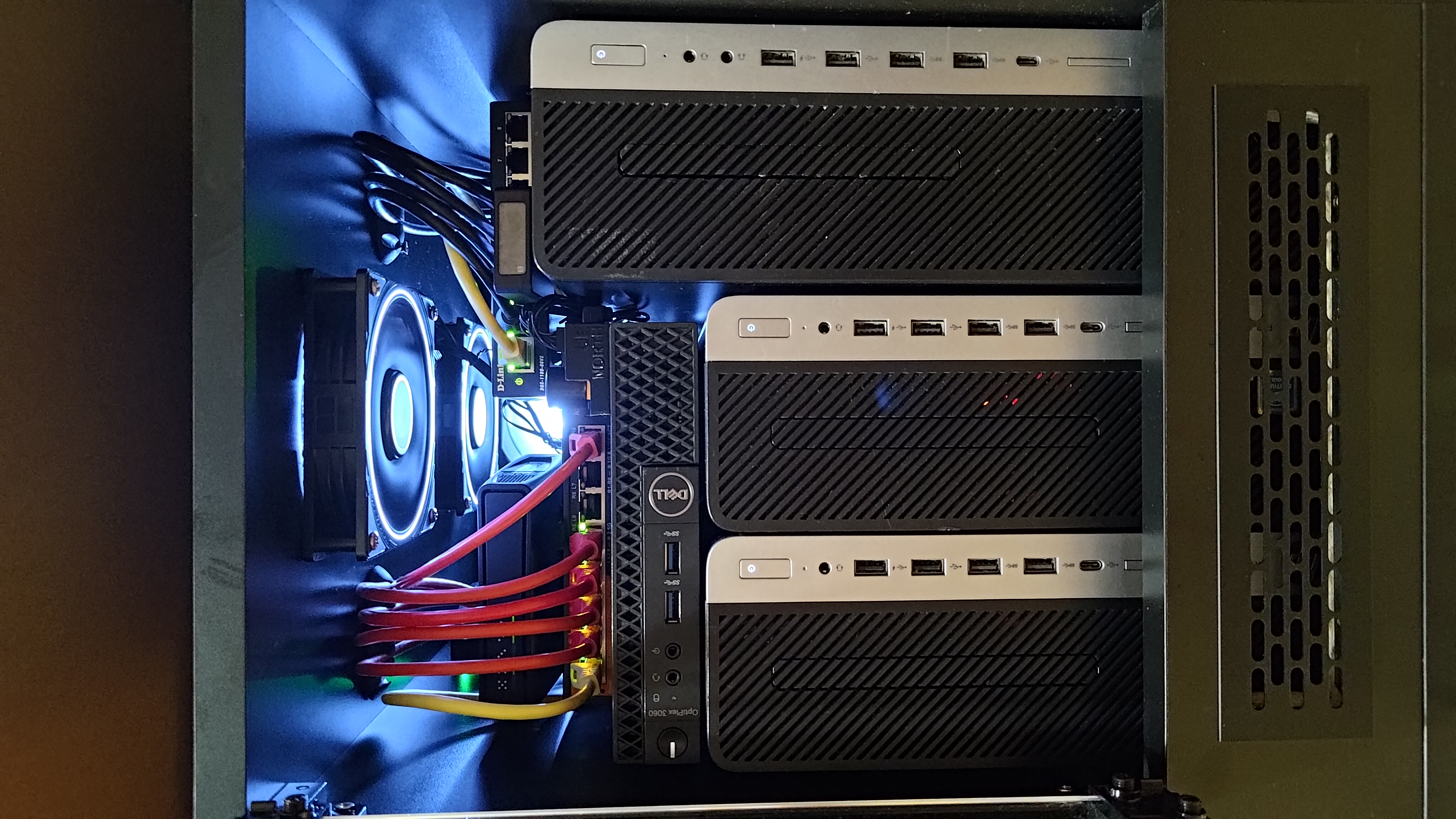
And this is my current (2026) homelab configuration. It may not be NASA technology, but it performs its function very well. I have 3 SFF class MiniPCs (HP 600 G3, HP 800 G3) and a miniPC (Dell 3060). The largest computer serves as a NAS, and the rest is a 3-node Proxmox cluster. In addition, cheap 2.5Gb managed switches, Mikrotik - you can play around. I also made a dedicated cabinet with cooling for it, more information about my project soon.
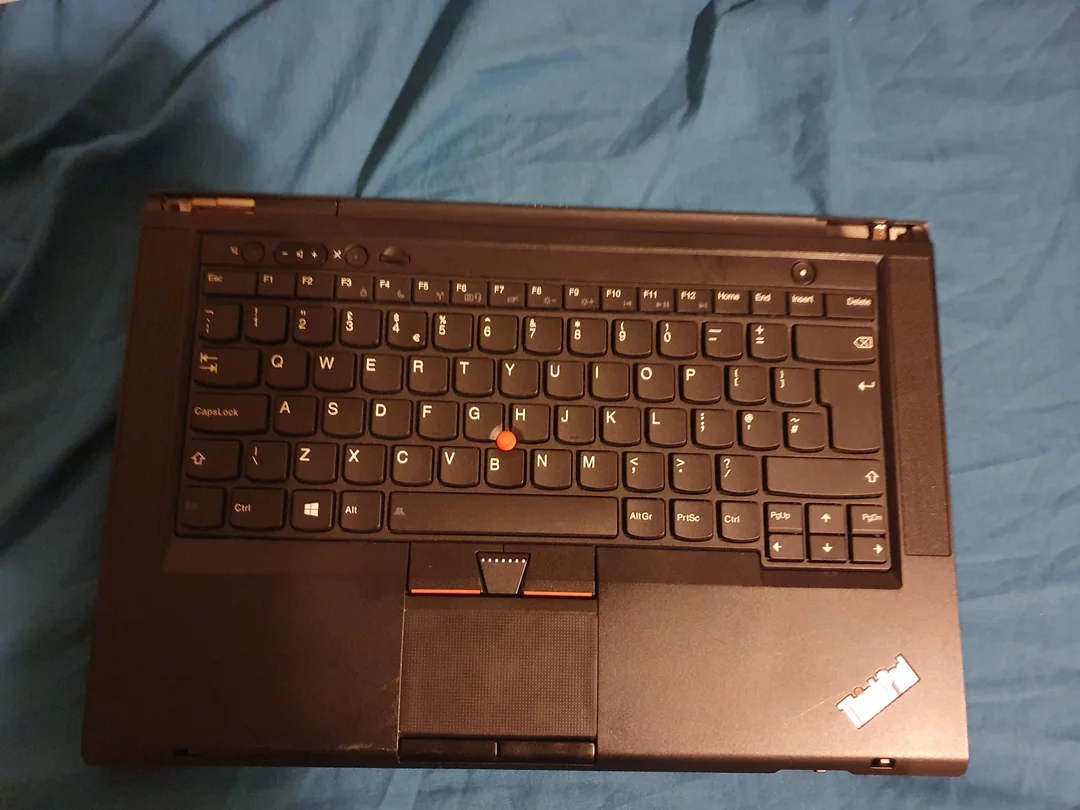
This can also be your test environment - I started on roughly something like this. A laptop with a broken matrix - normally it would go to the trash, but a server does not need a screen… (source: r/lenovo)
Currently, due to the skyrocketing RAM prices, it is worth turning your attention to older computers, on which the current situation will not have such a drastic impact. A web server in the local network with practically zero traffic will not care whether it has the latest guts underneath or a 10-year-old CPU and DDR3.
Power consumption and noise
For small or sporadically used homelabs this may not matter that much, but at some point power consumption starts to become an important issue. If you work on the homelab for a longer time, or use it (or parts of it) as a home “selfhosted” server room where devices work 24 hours a day, you should ask yourself how much power my entire homelab consumes.
Do not forget that it can be not only computers/servers, but also routers or switches, even if their impact will be much smaller. To check power consumption I recommend using smart sockets. It may turn out that it is worth turning off part of the equipment if you do not use it all the time. If you host some services “in production”, e.g. you have Nextcloud, it is worth calculating how much electricity costs and comparing it with buying some cloud service like OneDrive to think about the cost-effectiveness of the solution.
As for noise, a lot depends on the equipment itself but also on the place where it is located - the worse the ventilation and the higher the temperature, the more the equipment will heat up and, as a result, be louder. Some HDD disks can also be quite noisy - the differences between some models can be huge. Therefore, the bedroom is not the best place for a homelab, it is worth taking that into account.
Building a homelab step by step
To sum up the above information:
- Determine what you want to use the homelab for
- Use the hardware you already have
- Install a virtualization environment (e.g. VirtualBox, KVM, Proxmox)
- Set up the first virtual machine
- Test different solutions and configurations, break things, fix them
- Only later expand the hardware and architecture
Summary
This post is only a very general introduction to the topic. Motivations for creating such a home test environment can be different, but one thing is certain - it is a very developmental and simply addictive activity. If you are looking for inspiration, I recommend visiting Reddit r/homelab and r/selfhosted as well as the Home Server Setups group on Facebook. You will see how many different perspectives and ideas there are on this issue. I believe that making and documenting a good homelab is a great idea for young people who associate their future with IT administration, want to be security specialists or programmers. The learning opportunities are practically endless and you can calmly show off such a project in your CV, because in many aspects what you do in a homelab is the same work as in a company and the same real experience, only on a smaller scale.
Good luck with the experiments!
Comments